

Track down duplicates and search through ZIP files
TreeSize Professional V8.2 is here and these community features are included!

The time has come, TreeSize Professional V8.2 is ready and available for download! In our latest update we have again many exciting new features for you. Among them are also some features that have won the feature voting of our users. Let's take a look!
Show transcription
[On Screen: Intro: the TreeSize Professional logo with the tagline “Your Allrounder for File & Disk Space Management”.]
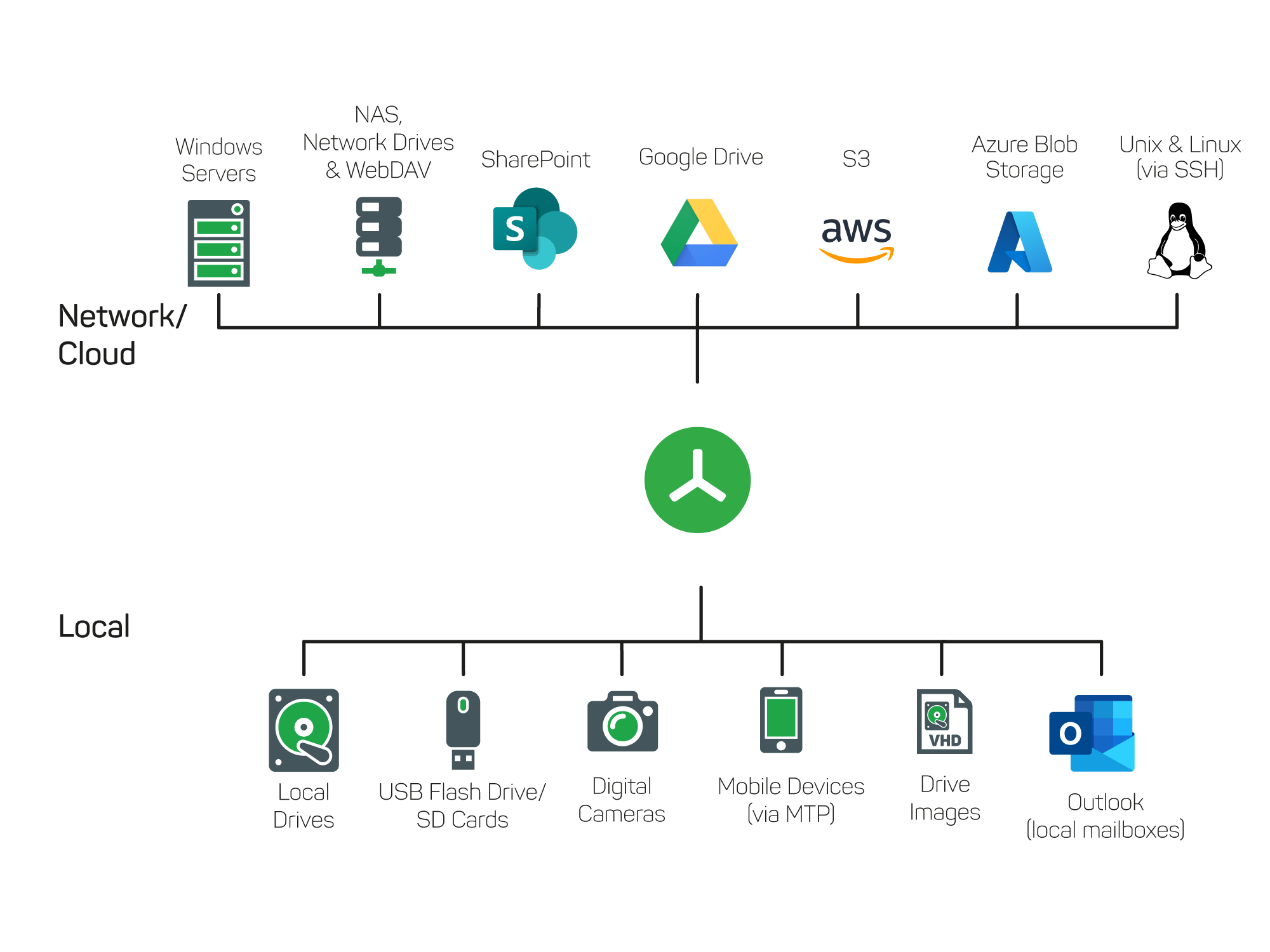
Close the gap left open by Windows Explorer — with our all-rounder TreeSize Professional. Simply select a drive and scan your file systems in seconds. TreeSize supports scanning local drives as well as SharePoint, Amazon S3 cloud storage, Linux and Unix servers, and WebDav.
[On Screen: The tree view showing all file levels and their size proportions; various chart types (bar, pie and treemap charts) visualize the size relationships.]
In the tree view, you can keep track of all file levels, including size proportions. With our various chart types, you can clearly understand the size relationships of your files and folders. Break down your file system in the Details view by file type, user, or even file age. Determine yourself the intervals in which you want to measure file age. What's also great? Have the 100 largest files on your drive displayed.
[On Screen: The “File Operations” dialog (choose a destination and configure the options) for moving, copying, deleting or zipping selected files, as well as bulk rename.]
With our useful file operations, you can easily continue working directly from TreeSize. For example, select the files you want. Move, delete, or archive them. Or rename them according to your own rules. Or export the scan results into different formats.
[On Screen: The scan comparison: importing an older scan via XML makes size increases visible in additional (growth) columns.]
Make size increases visible with our scan comparison. Simply import an older scan via XML import and view size changes. This allows you to take immediate action.
Community Features for the TreeSize File Search
The TreeSize community has voted: Many users have asked for a search to track down duplicate directories in their file systems in addition to the regular search for duplicate files. More than 100 people voted for this feature on our feature voting platform.
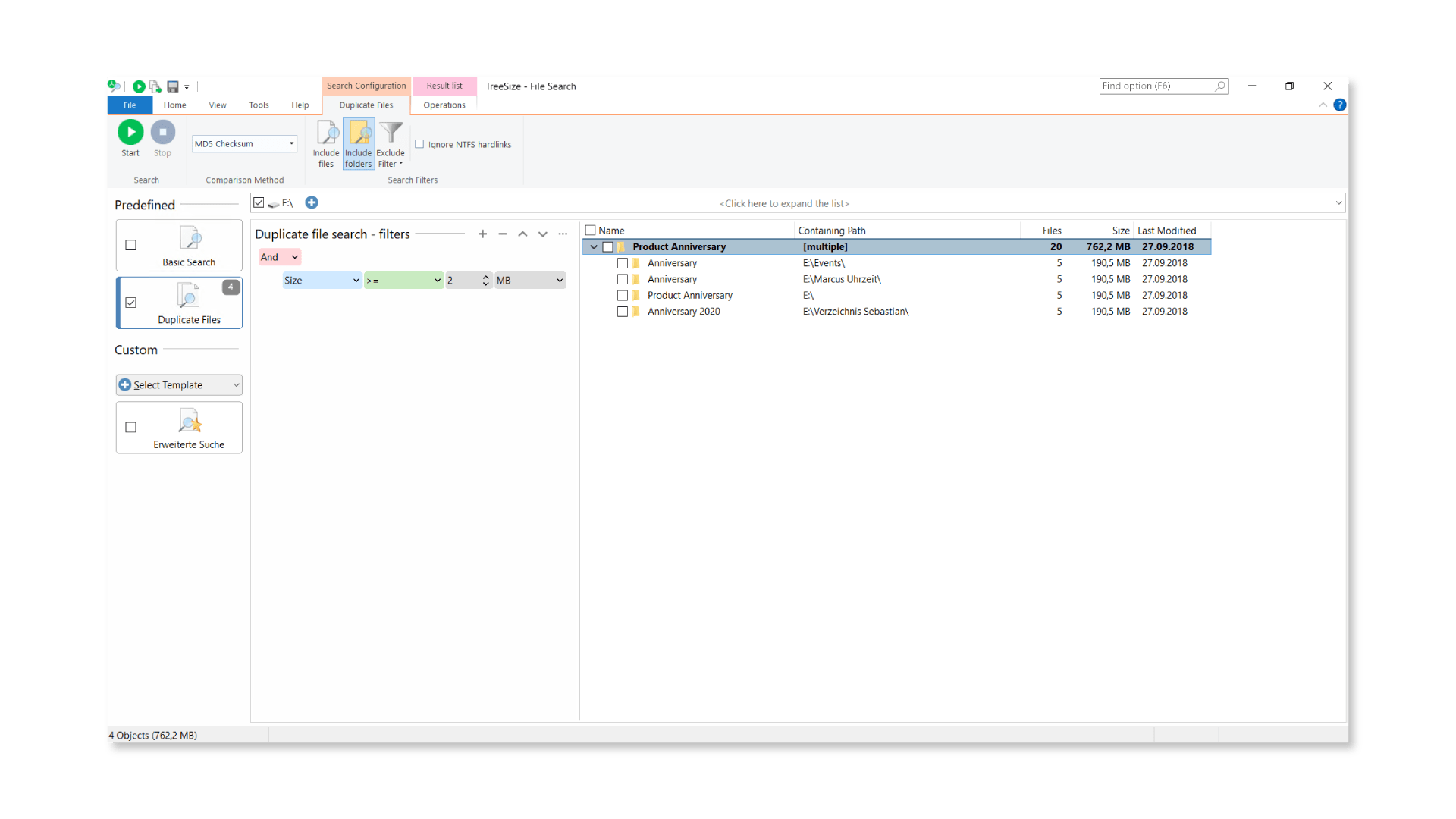
The new function is now available in TreeSize Professional. And this is how you search for duplicate directories in the future: Select the predefined option "Duplicate Files" in the TreeSize File Search and choose "Include folders" in the ribbons in the upper area. TreeSize will include folders in the next search.
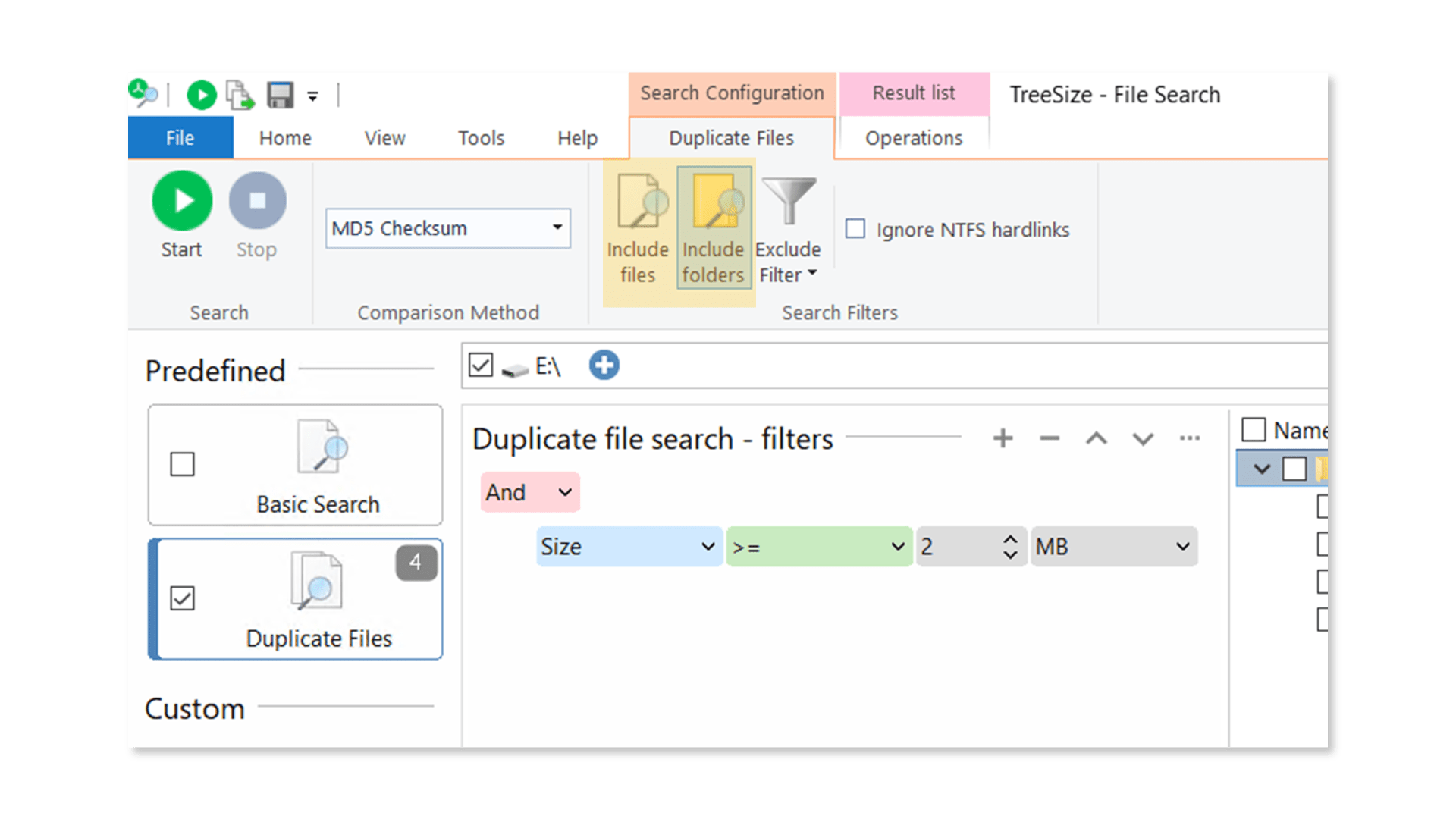
Select the path to your drive or server you want to scan and optionally choose filters the duplicates should match. TreeSize lists all duplicate folders clearly in a list.
For your interest: We collected some tips to improve your duplicate search even more. Check it out!
Are you looking for similar folders instead? SpaceObServer makes it possible with an even more complex duplicate search. Search for similar folder structures with SpaceObServer and get an overview of folder trees with duplicate or similar contents.
Another feature that the TreeSize community has requested on the Feature Voting Platform is the search in ZIP files - i.e. within compressed archives. Now you can easily check "Search in ZIP files" in the options for the TreeSize search under "File Search".
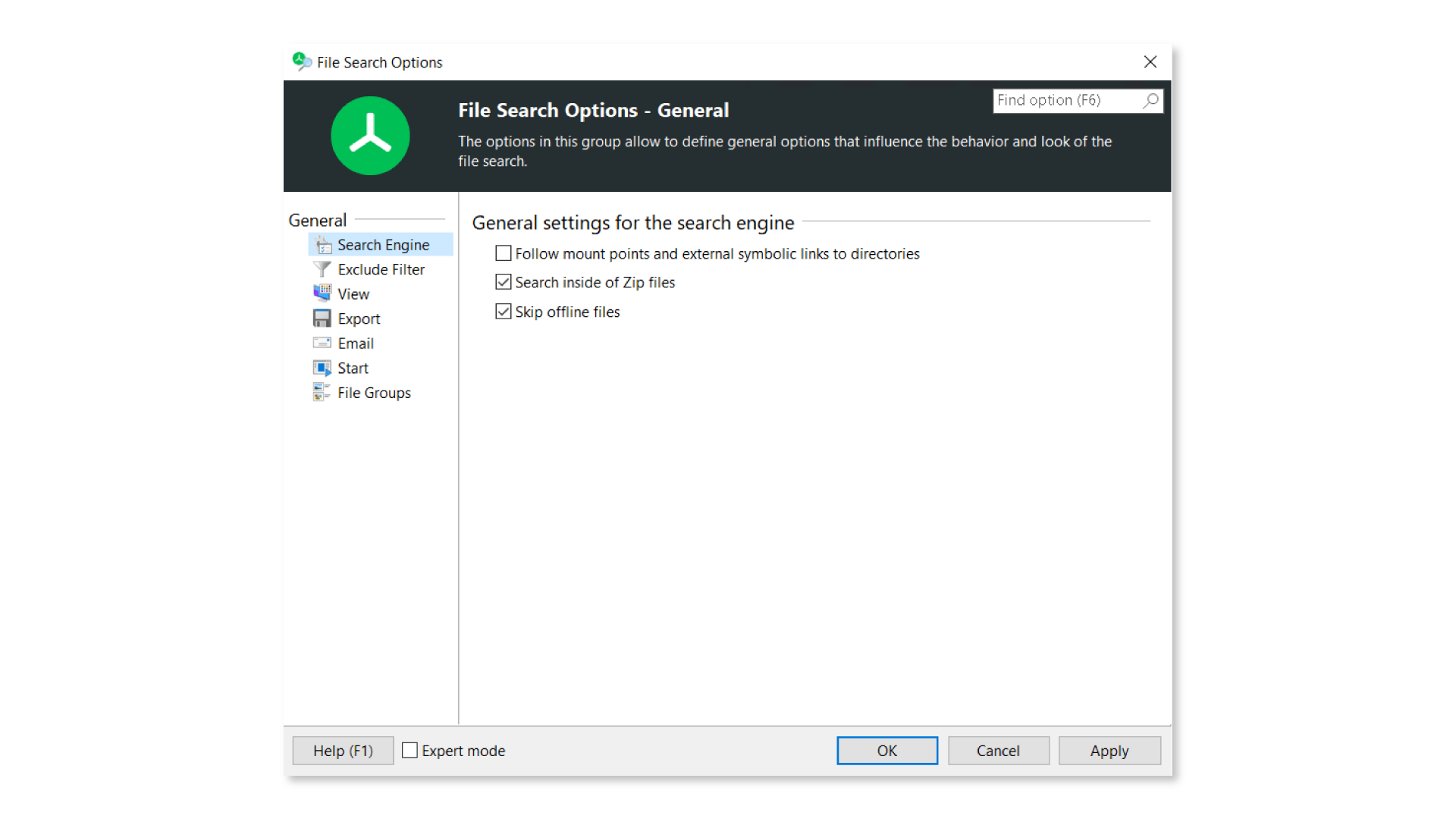
TreeSize will then immediately consider the contents of ZIP files. Specify the path to a ZIP file that you want to scan. Especially useful: TreeSize then also includes contents of archive files during normal drive or server scans.
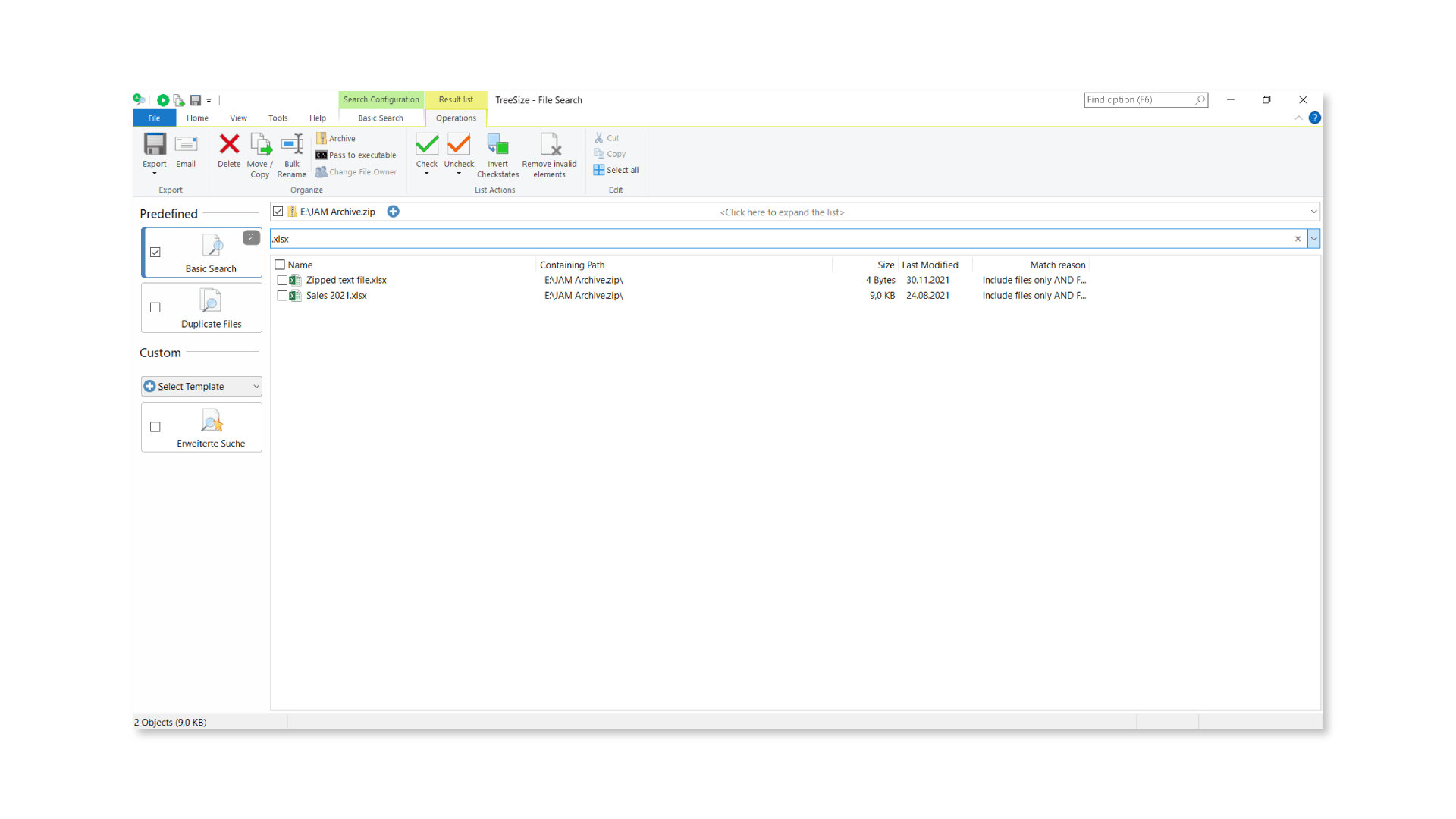
Besides duplicate search and search in ZIP files, TreeSize File Search can do even more. Have a look at our website!
Easily scan and examine drive images
Do you also want to scan drive images with TreeSize - i.e. drives that are not (yet) mounted in Windows Explorer? You are not alone with this! Many of our users have asked for this new scanning option. With TreeSize Professional V8.2 we now fulfill this wish.
Besides a whole range of possible local scans and scans of networks, TreeSize now also scans drive images in VHDX, VHD and ISO format. To do this, select the image file as usual via the path selection on your file system.
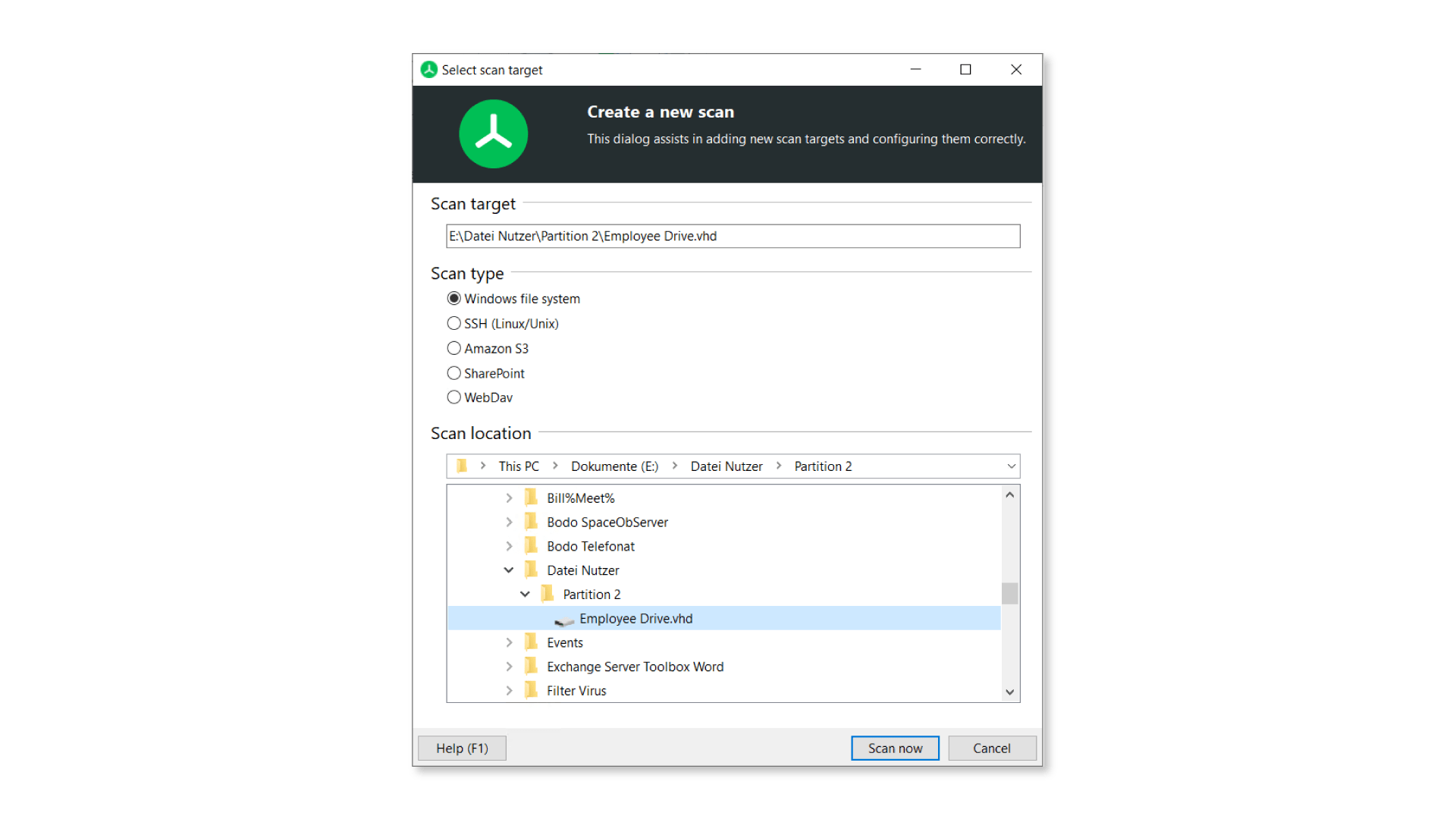
TreeSize instantly begins with the scan and lists the drive image in a clearly arranged tree view.
Good to know: With the update we have also improved the Top 100 files view. Now TreeSize already shows intermediate results during the scan. This makes your system scan even more efficient.
TreeSize can scan and examine many more scan targets.
New column for costs in the TreeSize Details View
With its Details View in the main module, TreeSize allows a lot of information about files and folders in the selected directory, which can be switched on and off as desired. New is now the column "Costs".
With "Costs" you can individually calculate your accruing costs for used storage space in a certain period of time. For example, you can assign storage costs to different departments in your company or organization. TreeSize helps you find and remove space hogs. Use the scan comparison feature to find out how much cost you saved by cleaning up your file systems compared to the last scan.
Easily customize the cost calculation as well as currency and time interval in the TreeSize options under "Appearance". The new column can also be added to all available export types, if desired.
TLDR – For those with not so much time
With version 8.2 we not only improve the TreeSize File Search, but also extend possible scan targets and offer new features in the Details View. At this point, we would like to thank all users who voted on our Feature voting Platform.
Besides the new features we have described here, there are of course many more changes with the update. Take a look at the complete changelog, we have recorded everything for you there.
Want to always stay up to date? Subscribe to our newsletter now!
Do you like what you've just read, have new ideas or feedback? Visit our contact form and let us know your thoughts!